Find out what’s holding your website back
Your website can look fine when you open it and still have problems that are easy to miss. A service page might be absent from search because it inherited an indexing directive from a staging site. A mobile menu might lag because a third-party script is doing too much work. A redesigned site might send visitors to the homepage when they click a link that used to open a specific product or service.
Island Web Studios investigates how your website is built, how search engines can access it, and what visitors experience when they use it. We work from the pages that matter to your business first, such as the service pages that generate inquiries or the product categories customers use to shop. Then we trace problems back to their source, whether that’s an individual page, a shared template, an integration, or a server setting.
Make important pages easier to crawl and index
We review whether search engines can reach the URLs you want them to find and whether your website sends consistent signals about those URLs. That includes checking your XML sitemap, robots.txt, canonical URLs, indexing directives, redirects, and internal links.
These pieces can tell conflicting stories. A sitemap might list a page that redirects. A navigation link might point to an old URL while the page it loads identifies a different URL as canonical. An important page might appear in the sitemap but have no links from the rest of the website. We check how those signals work together and identify which changes are worth making.
For an online store, we may also look at how filters, sorting options, and product variants create additional URLs. For a service business, the priority may be finding old pages that compete with current offerings or making sure location pages are easy to reach. The work depends on how your site is built and which pages you intend people to find.
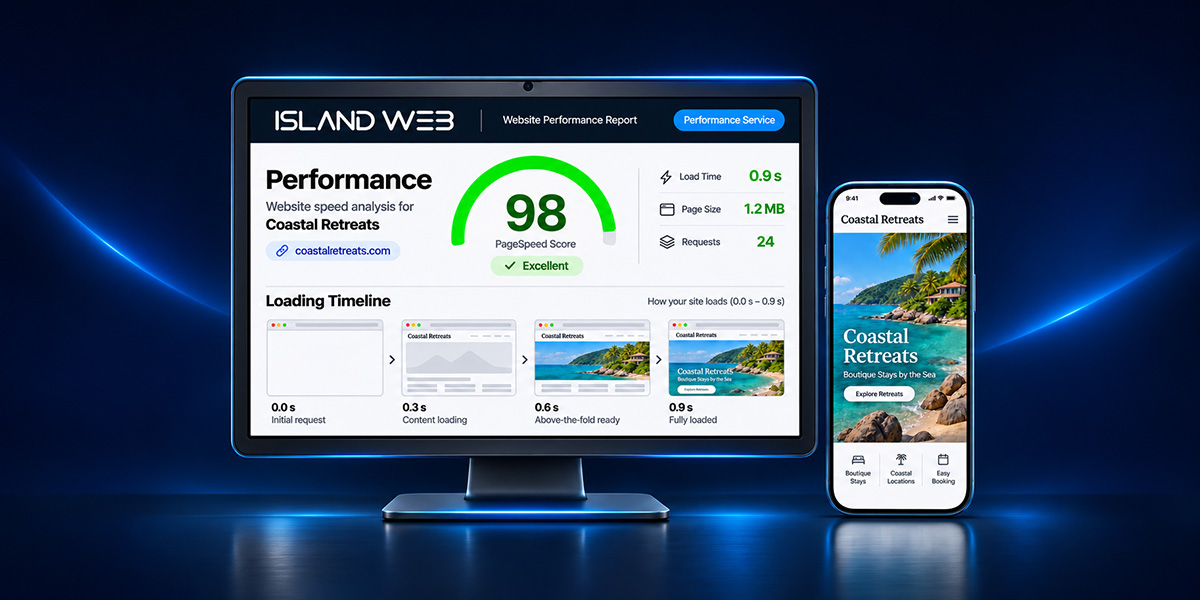
Improve page speed and Core Web Vitals
A performance report can tell you that a page is slow. Fixing it takes a closer look at what the browser does while the page loads and after the visitor starts using it. We investigate image sizes, font loading, caching, server response times, JavaScript execution, and third-party tools such as analytics tags, chat widgets, and embedded forms.
We also look at the three Core Web Vitals:
- Largest Contentful Paint (LCP) measures how quickly the largest visible image or text element finishes rendering. On a service page, that might be the hero image or headline.
- Interaction to Next Paint (INP) measures how responsive a page is when someone interacts with it. A menu that takes too long to open after a tap is one example of a problem worth investigating.
- Cumulative Layout Shift (CLS) measures unexpected movement of visible page elements. A button that jumps down when an image or embedded form loads makes the page harder to use.
We use controlled tests to reproduce issues and review real-user performance data where it’s available. After making changes, we check the affected features, including forms, menus, and checkout. A faster landing page still needs to work when a customer clicks the button that brought them there.
Add structured data that matches your website
Structured data gives search engines explicit information about the content on a page. We choose markup based on what the page actually contains. A product page might need product and offer information. An article might need author and publication details. A service page can describe the service and connect it to the business that provides it.
We check whether your templates generate duplicate or conflicting markup and whether changes to visible content also update the underlying data. That matters on sites where product prices, availability, or page details change regularly. We can also create an llms.txt file that points to selected public resources for tools that choose to read it. We treat it as an optional reference file during the wider technical review.
Protect important URLs during a redesign or migration
A redesign can change navigation, templates, page addresses, and the way content loads. A migration can change several of those at once. Before launch, we can inventory important URLs, map old pages to their new destinations, and identify features or directives that need to carry over. After launch, we can check redirects, sitemaps, canonical URLs, and priority pages on the live site.
Suppose an older e-commerce site has inbound links to individual product categories. If those URLs all redirect to the new homepage, customers must start their search again. Mapping each old category to the closest relevant new page gives customers a better path. The same principle applies to service pages, guides, and landing pages that clients or partners have bookmarked.
Get a list of fixes your team can act on
A useful technical review tells you which pages are affected, why the issue matters, and how to confirm the fix. We can implement changes directly or provide your development team with specific instructions. When one template issue affects hundreds of pages, we can address the shared source and test representative pages before checking the wider rollout.
For example, imagine every mobile service page loads a large desktop hero image, a custom font, and a booking widget before the visitor can read the headline. We might serve a more appropriate image, adjust how the font loads, and change when the booking widget initializes. We’d then check the page on mobile and complete a test booking. That gives you a concrete way to judge whether the update improved the experience without breaking the service the page depends on.
Frequently asked questions
Can you improve performance on my existing website?
Yes. We can start with the pages or templates causing the most trouble. Some fixes involve assets such as images or fonts. Others require changes to code, hosting, or a third-party integration. We’ll explain what we find and what access the work requires.
Do you audit the whole site or just a few pages?
We can do either. A slow checkout or broken navigation element may call for a focused investigation. If you’re preparing for a redesign or seeing problems across several sections, a broader review can help identify patterns that would be missed on a single page.
Will structured data give my page a rich result?
Appropriate markup can help eligible pages qualify for certain search features. Search engines decide what to display. We focus on accurate markup that reflects the visible page and remains maintainable as the site changes.
Can you work with our developer?
Yes. We can give your developer affected URLs, examples, recommended fixes, and ways to verify the updates. We can also handle implementation when you want one team to diagnose and fix the issue.
How do technical SEO and on-page SEO work together?
Technical SEO helps search engines reach the right pages and helps visitors use them. On-page SEO improves what each page says, the searches it addresses, and how it links to related content. If both areas need attention, we can tackle them together. [Explore our SEO, AEO & GEO services.](/seo-aeo-geo/)