An XML sitemap helps search engines discover the important pages on your website. Whether you're launching a new website, adding content, or improving your technical SEO, having a properly structured sitemap makes it easier for search engines to find the URLs you want them to crawl.
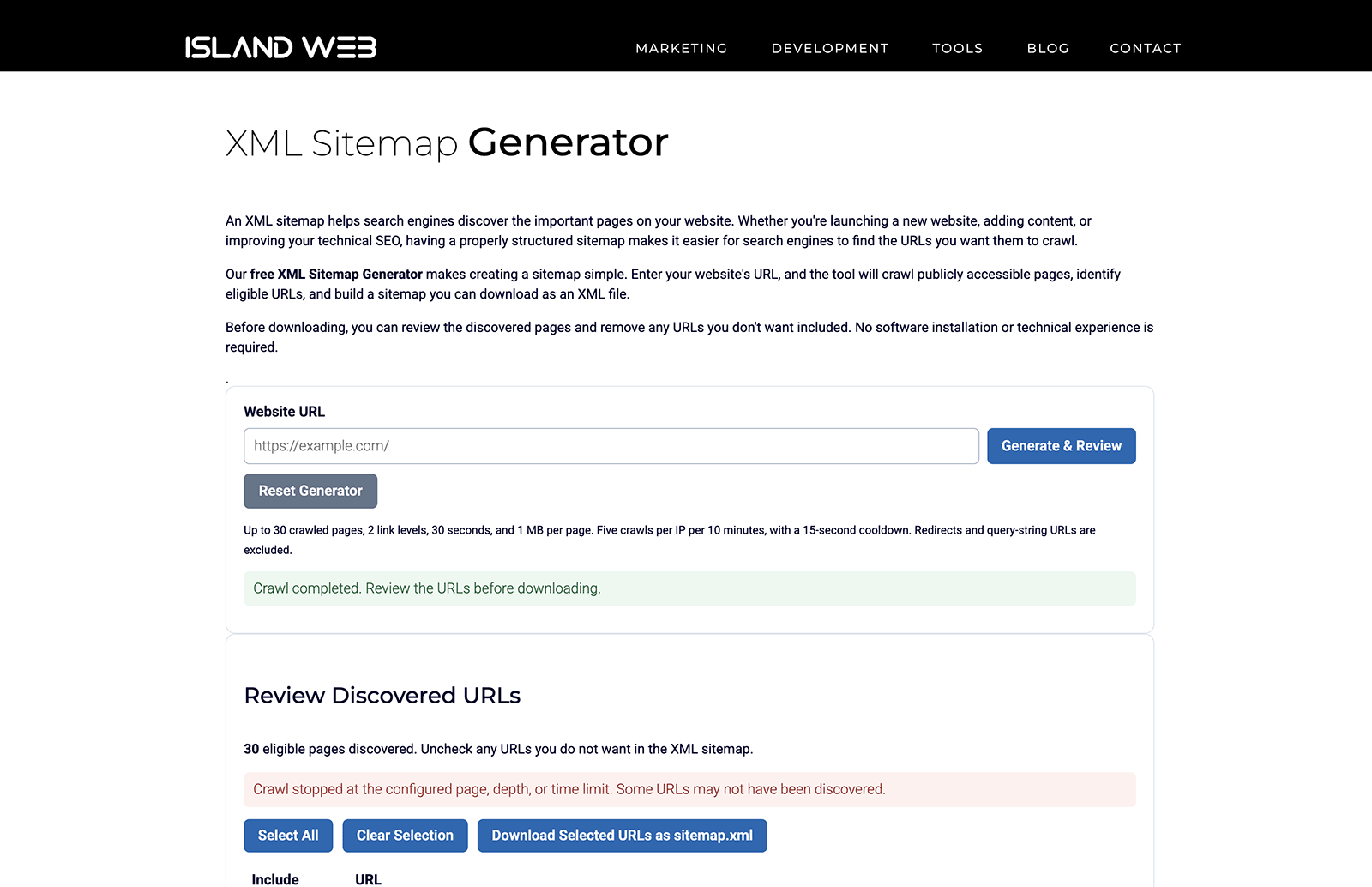
Our free XML Sitemap Generator makes creating a sitemap simple. Enter your website's URL, and the tool will crawl publicly accessible pages, identify eligible URLs, and build a sitemap you can download as an XML file.
Before downloading, you can review the discovered pages and remove any URLs you don't want included. No software installation or technical experience is required.
.Up to 30 crawled pages, 2 link levels, 30 seconds, and 1 MB per page. Five crawls per IP per 10 minutes, with a 15-second cooldown. Redirects and query-string URLs are excluded.
How to Generate an XML Sitemap
Our free XML Sitemap Generator makes creating a sitemap for your website simple. You can discover internal pages, review the results, and generate an XML file without manually entering every URL.
Step 1: Enter Your Website URL
Enter the complete URL of your website, including the HTTPS or HTTP prefix. For most websites, starting with the homepage provides the best opportunity to discover important internal pages.
Step 2: Generate the Sitemap
Click the Generate & Review button to begin crawling your website. The tool follows accessible internal links and identifies eligible pages within its configured crawling limits.
The generator examines applicable crawling rules and certain indexing signals to help identify URLs that may be unsuitable for inclusion.
Step 3: Review the Discovered URLs
Examine the list of discovered pages before generating your final sitemap. Deselect any URLs that you do not want search engines to discover through your sitemap.
Your sitemap should contain important, canonical pages intended for indexing. Avoid including duplicate content, administrative pages, login pages, and other URLs that do not provide meaningful value to search engine users.
Step 4: Download the XML File
Once you are satisfied with your selected URLs, download the generated sitemap.xml file.
The file uses the standard XML sitemap format supported by major search engines, including Google and Bing.
Step 5: Upload the File to Your Website
Upload the sitemap.xml file to a publicly accessible location on your web server. For a website-wide sitemap, the root directory is generally the preferred location.
For example:
https://www.example.com/sitemap.xml
Open the sitemap URL in your browser to confirm that the file is accessible.
Step 6: Validate Your Sitemap
Use our free XML Sitemap Validator to check your published sitemap for formatting errors and other potential issues.
Once you have verified your sitemap, submit its URL through Google Search Console and Bing Webmaster Tools. You can also include a reference to your sitemap in your website's robots.txt file.
Understanding the Generator's Limitations
The XML Sitemap Generator is designed primarily for smaller websites and individual sections of larger websites. Pages that are not linked internally, content requiring authentication, and navigation generated through JavaScript may not be discovered.
The tool does not perform a comprehensive indexing audit. Always review the generated URLs before publishing your sitemap. For larger websites, consider generating your sitemap directly from your content management system, database, or publishing platform.
What Is an XML Sitemap?
An XML sitemap is a structured file that lists important URLs on a website. It provides search engines such as Google and Bing with information about the pages you want them to discover and potentially index.
Think of an XML sitemap as a directory of your website's content. Instead of relying entirely on links between pages, search engines can use the sitemap to discover URLs that might otherwise be difficult to find.
Most XML sitemaps are stored in a file named sitemap.xml, commonly accessible at:
https://www.example.com/sitemap.xml
An XML sitemap doesn't replace good website navigation or internal linking. It's an additional discovery mechanism that supports a well-organized website.
Why Is an XML Sitemap Important for SEO?
An XML sitemap can be a valuable part of your technical SEO strategy, particularly when your website contains many pages or changes frequently.
Helping search engines discover new pages
When you publish a new page, search engines may not discover it immediately. Including the URL in your sitemap provides another way for crawlers to find it.
Making larger websites easier to crawl
Websites with hundreds or thousands of pages can have complex navigation structures. A sitemap gives search engines a centralized list of important URLs.
Supporting websites with limited internal linking
Some pages may have few internal links pointing to them. Although improving internal linking should remain a priority, a sitemap can help search engines discover those pages.
Keeping search engines informed about updates
XML sitemaps can include accurate last-modified dates, helping search engines understand when content has meaningfully changed.
Supporting new websites
New websites may have few external links and limited search engine visibility. A sitemap can help search engines discover their content.
What Information Is Included in an XML Sitemap?
A standard XML sitemap can contain several elements.
| XML element | Purpose |
| <loc> | The complete URL of a page. Required for each entry. |
| <lastmod> | The date the page was last meaningfully modified. Optional. |
| <changefreq> | A suggested frequency of changes. Optional. |
| <priority> | A relative priority value. Optional. |
Google ignores the <changefreq> and <priority> values, so there's generally little reason to include them in a newly generated sitemap intended for Google.
The most important element is <loc>, which identifies each page. Accurate <lastmod> values can also be useful.
Example XML Sitemap
<urlset xmlns="http://www.sitemaps.org/schemas/sitemap/0.9">
<url>
<loc>https://www.example.com/</loc>
</url>
<url>
<loc>https://www.example.com/about/</loc>
</url>
<url>
<loc>https://www.example.com/services/</loc>
</url>
</urlset>
This simple sitemap lists three pages. Each URL is enclosed in a <url> element and identified by its <loc> value.
Which Pages Should Be Included in Your Sitemap?
A good XML sitemap should contain the important, canonical URLs you want search engines to index. Typical examples include your homepage, service pages, product pages, blog articles, category pages, and other valuable public content.
Avoid including:
- Duplicate or noncanonical URLs
- Pages intentionally marked noindex
- Login, account, or administrative pages
- Broken URLs and unnecessary redirects
- Internal search results and low-value filtered pages
- Pages blocked from crawling that you don't intend to index
Your sitemap should represent the content you actually want people to discover through search engines.
Where Should You Put Your XML Sitemap?
The most common location is:
https://www.example.com/sitemap.xml
After uploading your file, open its URL in a browser to confirm that it's publicly accessible.
You can also reference your sitemap in your website's robots.txt file:
Sitemap: https://www.example.com/sitemap.xml
For additional visibility, submit the sitemap through Google Search Console and Bing Webmaster Tools.
Understanding the Limitations of Automatic Sitemap Generators
I've been building websites since 1996, and one thing I've learned is that automated tools are most useful when you understand what they can and cannot do.
A sitemap generator discovers pages by following links. It cannot necessarily find every page on your website. Pages that aren't linked from other pages, content requiring authentication, and URLs created dynamically through JavaScript may not be discovered.
Our generator also uses crawling limits to protect both your website and our server. It checks applicable robots.txt rules and examines canonical and noindex directives, but it is not a complete technical SEO audit.
For larger websites, a sitemap generated directly from your CMS, database, or publishing system is often more comprehensive.
Always review your sitemap before publishing it. A smaller sitemap containing the correct URLs is more useful than a large sitemap filled with duplicate, outdated, or unwanted pages.
XML Sitemap Generator FAQ
Is this XML sitemap generator free?
Yes. Our XML Sitemap Generator is free to use and doesn't require an account. Reasonable crawling and rate limits help keep the service available.
Do all websites need an XML sitemap?
Not necessarily. Search engines can discover well-linked pages without a sitemap. However, having one is generally recommended, especially for larger, newer, or frequently updated websites.
Can I generate a sitemap for any website?
You can generate a sitemap from publicly accessible pages that the tool is permitted to crawl. Some websites restrict automated crawling, and the generator respects its configured limits.
Will the generator find every page on my website?
Not necessarily. It discovers pages through accessible internal links. Unlinked pages, JavaScript-dependent content, and pages outside its crawl limits may be missed.
Can I remove pages before downloading my sitemap?
Yes. After generating the sitemap, you can review the discovered URLs and deselect pages you don't want included.
How many URLs can an XML sitemap contain?
Under the standard sitemap protocol, one sitemap can contain up to 50,000 URLs and must not exceed 50 MB uncompressed. Our online generator uses a much smaller crawling limit to manage server resources.
Does the generator automatically submit my sitemap to Google?
No. The tool creates the XML file. You must publish it on your website and can then submit its URL through Google Search Console.
How often should I regenerate my sitemap?
Regenerate it when important pages are added, removed, or reorganized. Websites that publish frequently may benefit from automatically generated sitemaps that update whenever content changes.
What's the difference between an XML sitemap and an HTML sitemap?
An XML sitemap is designed primarily for search engines. An HTML sitemap is a webpage intended to help human visitors navigate a website.
What should I do after downloading my sitemap?
Upload it to your website, verify that it is publicly accessible, and run it through our free XML Sitemap Validator before submitting it to search engines.