Find broken internal and external website links with our free Broken Link Checker. Identify unavailable webpages, dead links, HTTP errors, and other potential link-related problems that can affect website usability and search engine optimization.
Whether you're maintaining a business website, updating blog articles, managing an e-commerce store, or conducting a technical SEO audit, our Broken Link Checker helps you identify links that require attention.
Regularly checking your website for broken links can improve navigation, maintain reliable references, and provide a better experience for visitors and search engine crawlers.
Check internal links on a sample of your website pages for HTTP errors and failed requests.
How to Use the Broken Link Checker
Our free Broken Link Checker helps website owners, developers, and SEO professionals identify links that may no longer work correctly.
Step 1: Enter Your Website URL
Enter the complete URL of the publicly accessible webpage you want to examine, including the HTTP or HTTPS protocol.
Step 2: Run the Broken Link Check
Start the analysis. The tool examines links discovered on the submitted webpage and requests eligible destinations within its scanning limits.
Step 3: Review the Link Check Results
Examine the returned URLs and available HTTP response information. Look for unavailable destinations, unsuccessful responses, and other potential link problems.
Step 4: Identify Broken Internal and External Links
Determine whether the affected links point to resources on your own website or to external websites. This distinction helps determine the appropriate correction.
Step 5: Investigate Unsuccessful Responses
Review HTTP status codes and reported errors. Verify questionable results independently, especially when a destination returns an access restriction, timeout, or temporary server error.
Step 6: Correct Broken Links
Update outdated URLs, replace unavailable external references, restore missing resources, or configure appropriate redirects for permanently moved webpages.
Step 7: Test Your Website Again
After making corrections, run the Broken Link Checker again to verify that the affected links lead to their intended destinations.
What Is a Broken Link?
A broken link, also known as a dead link, is a hyperlink that no longer provides access to its intended resource.
Broken links commonly occur when webpages are deleted, URLs change, websites are discontinued, or links are entered incorrectly. They may lead to a 404 Not Found response, a 410 Gone response, or another condition that prevents visitors from accessing the intended content.
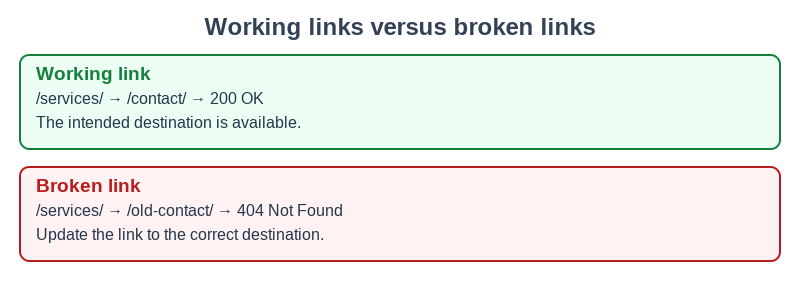
A link does not necessarily have to return a 404 error to be considered broken. A link that redirects visitors to an unrelated webpage may also fail to serve its original purpose.
Likewise, an unsuccessful response from an automated link checker does not always mean the destination is permanently unavailable.
What Causes Broken Links?
Even professionally developed websites can accumulate broken links over time.
Common causes include:
- Deleted or unpublished webpages.
- Changes to website URL structures.
- Incorrectly entered hyperlinks.
- Website redesigns and migrations.
- Expired or discontinued domains.
- Removed products and services.
- Missing documents and downloadable resources.
- Changes to third-party websites.
- Incorrect redirect configurations.
- Server and DNS problems.
Websites with extensive blog archives, product catalogs, educational resources, and external references are particularly vulnerable to outdated links.
Internal Links vs. External Links
Broken Internal Links
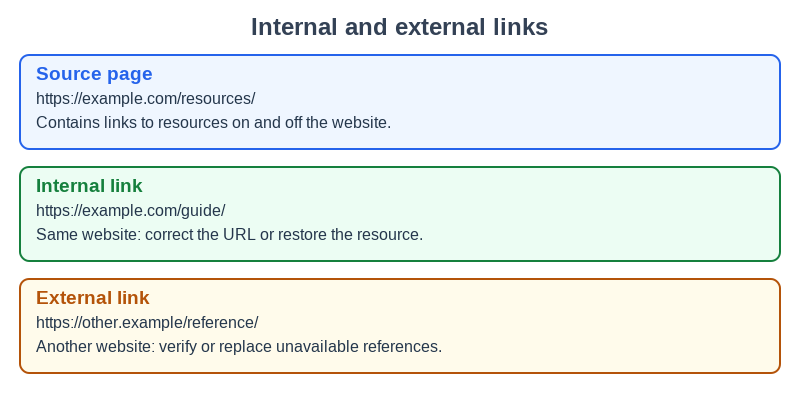
Internal links connect webpages and resources within your own website.
Broken internal links can interfere with navigation, prevent customers from reaching important information, and make it more difficult for search engine crawlers to discover content.
Common examples include navigation links pointing to removed pages, outdated product links, and references to articles that have moved to new URLs.
Because you control your own website, internal links can usually be corrected by updating the hyperlink, restoring the missing resource, or configuring an appropriate redirect.
Broken External Links
External links connect your website to resources hosted on other websites.
Unlike internal links, external destinations are outside your direct control. The referenced website may delete content, reorganize its pages, change domains, or discontinue operations without notifying you.
When an external link becomes unavailable, locate the updated resource or replace it with a reliable alternative.
Understanding Broken Link HTTP Status Codes
HTTP status codes provide useful information about what happened when a link was requested.
| HTTP Status | Meaning | Recommended Action |
|---|---|---|
| 200 OK | The request succeeded. | Confirm the intended content is available. |
| 301 Moved Permanently | The resource has permanently moved. | Verify and update the link to the preferred destination. |
| 302 Found | Temporary redirect. | Investigate whether the redirect is intentional. |
| 307 Temporary Redirect | Temporary redirect preserving the request method. | Verify the destination. |
| 308 Permanent Redirect | Permanent redirect preserving the request method. | Update outdated links when appropriate. |
| 401 Unauthorized | Authentication is required. | Determine whether restricted access is intentional. |
| 403 Forbidden | Access is denied. | Verify whether automated requests are blocked. |
| 404 Not Found | The requested resource was not found. | Correct the URL or replace the link. |
| 410 Gone | The resource is indicated as permanently removed. | Remove or replace the outdated link. |
| 429 Too Many Requests | The destination is rate-limiting requests. | Wait and retest. |
| 500 Internal Server Error | A server-side error occurred. | Investigate or retest the destination. |
| 503 Service Unavailable | The server is temporarily unavailable. | Retest before removing the link. |
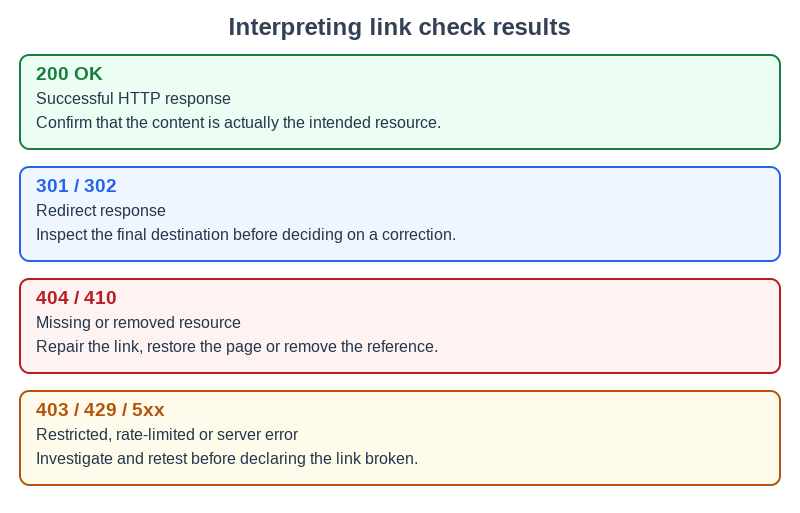
Redirect responses are not automatically broken links. However, unnecessary redirect chains, redirect loops, and redirects to inappropriate destinations should be investigated.
Use our free HTTP Redirect Checker to examine redirect chains and final destinations in more detail.
How Broken Links Affect SEO
Broken links can create technical and usability problems that affect the quality of a website.
Website Navigation and User Experience
Visitors expect hyperlinks to lead to relevant and accessible content. Broken navigation links, unavailable products, and missing contact pages can interrupt important user journeys.
For businesses, these interruptions may result in lost inquiries, abandoned purchases, and reduced customer confidence.
Search Engine Crawling
Search engines use links to discover webpages and understand relationships between website content.
Broken internal links interrupt these discovery paths. Important pages may become more difficult to discover when links pointing to them are removed or become invalid.
Internal Link Signals
Internal links help communicate website structure, contextual relationships, and the relative importance of webpages.
Maintaining direct links to accessible, preferred URLs supports a more consistent internal linking strategy.
External References and Content Quality
External references can provide supporting evidence, authoritative documentation, and additional information.
When these references become unavailable, readers may have difficulty verifying claims or finding related resources.
Broken links do not automatically result in a search engine penalty. However, maintaining functional links is an important part of technical SEO and overall website quality.
Broken Links, AEO and GEO
Answer Engine Optimization (AEO) and Generative Engine Optimization (GEO) emphasize accessible, understandable, and useful website content.
AI-powered search and answer systems may retrieve website content directly, use search engine indexes, or follow references to discover supporting information.
Broken internal links can make related content more difficult to discover, while unavailable external references can reduce the usefulness and verifiability of educational material.
A reliable website structure, accessible resources, accurate citations, and consistent URLs provide a stronger technical foundation for both traditional and AI-powered search.
Correcting broken links does not guarantee inclusion in AI-generated answers, but it supports the broader accessibility and quality of your website.
What Is a Soft 404 Error?
A soft 404 occurs when a webpage appears to be missing, empty, or unavailable but returns a successful HTTP status such as 200 OK.
For example, a deleted product page might display a message stating that the product no longer exists while the server continues to return a 200 response.
Because the HTTP request technically succeeds, basic link checkers may not identify the problem.
Soft 404 errors can also occur when removed webpages redirect to an unrelated homepage instead of returning an appropriate error response.
Google Search Console and manual content inspection can help identify these problems.
How to Fix Broken Links
The appropriate correction depends on why the destination is unavailable.
Update the Link
If the resource has moved to another valid address, change the hyperlink to point directly to the new URL.
Restore the Missing Resource
If a webpage or document was removed accidentally, restoring it may be the most appropriate solution.
Create a Permanent Redirect
If a webpage has permanently moved to a relevant replacement URL, configure a 301 or 308 redirect as appropriate.
Update internal links to point directly to the replacement rather than relying indefinitely on redirects.
Replace the External Reference
Find an updated version of the original resource or another reputable source that provides equivalent information.
Remove the Link
If the resource is no longer relevant and no suitable replacement exists, remove the hyperlink and revise the surrounding content when necessary.
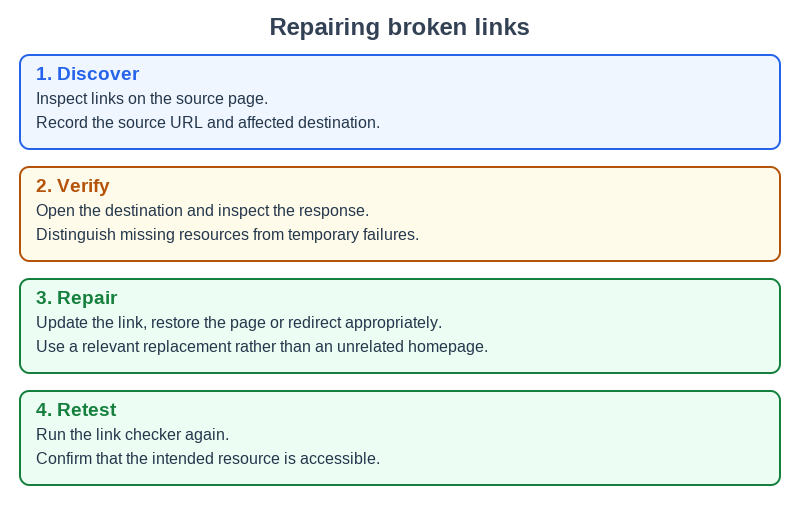
Avoid redirecting every missing webpage to your homepage. Redirects should lead to relevant destinations that satisfy the original purpose of the link.
Checking Links After a Website Redesign or Migration
Broken links are particularly common following website redesigns, hosting migrations, domain changes, and content management system upgrades.
Before launching a redesigned website, document important existing URLs and determine where they should lead after the migration.
After launch, verify internal links, redirects, navigation menus, downloadable documents, and frequently visited webpages.
It is also important to update canonical declarations and XML sitemaps to reflect the preferred website URL structure.
Our Canonical URL Checker, XML Sitemap Validator, and HTTP Headers Checker can help with these additional technical checks.
How Often Should You Check for Broken Links?
The appropriate frequency depends on the size, complexity, and update frequency of your website.
| Website Type | Suggested Review Frequency |
|---|---|
| Small business website | Monthly |
| Blog or educational website | Every two to four weeks |
| E-commerce website | Weekly |
| Large content website | Weekly or more frequently |
| Recently migrated website | Immediately after launch and regularly afterward |
These are general maintenance recommendations rather than mandatory schedules.
Websites that frequently publish, remove, or relocate content may benefit from more frequent automated link monitoring.
Understanding the Tool's Limitations
Automated link checking provides useful diagnostic information, but results should be interpreted carefully.
Some websites restrict automated requests, require authentication, use geographic access restrictions, or temporarily limit request frequency.
Links generated dynamically through JavaScript may require browser-based analysis. Fragment identifiers pointing to sections within a webpage may also require additional inspection.
A successful HTTP response does not guarantee that the destination contains the expected information.
Large websites may require dedicated site-wide crawling software to identify broken links across every webpage.
Frequently Asked Questions
What is a broken link checker?
A broken link checker examines hyperlinks and identifies destinations that return unsuccessful HTTP responses or other potential accessibility problems.
Is the Island Web Studios Broken Link Checker free?
Yes. Our Broken Link Checker is a free online tool for investigating broken website links and unavailable destinations.
What is the difference between a broken link and a dead link?
The terms are generally interchangeable. Both describe hyperlinks that no longer provide access to their intended resources.
Can broken links hurt SEO?
Broken links can interfere with content discovery, navigation, and user experience. They do not automatically result in a search engine penalty, but correcting them supports website quality and technical SEO.
Are external broken links bad for SEO?
Unavailable external references can reduce the usefulness and reliability of your content. Review and replace outdated references when appropriate.
Does a 404 error always mean a link is broken?
A 404 indicates that the requested resource was not found. If visitors are still being directed to that missing resource, the link should generally be corrected.
Is a 301 redirect considered a broken link?
No. A 301 indicates a permanent redirect. However, internal links should generally point directly to their intended final destinations.
What is the difference between a 404 and a 410 error?
A 404 indicates that a resource was not found. A 410 indicates that the resource is no longer available and that the condition is expected to be permanent.
Why does a link checker report a 403 error when the page works in my browser?
Some websites restrict automated requests while allowing ordinary browser visitors. Verify the destination manually before treating the link as broken.
What does a 429 response mean?
A 429 response indicates that the server is limiting request frequency. Retest the destination later to determine whether it is actually unavailable.
Can a broken link return a 200 OK status?
Yes. Soft 404 pages and misleading destination content may return successful HTTP status codes even though the intended resource is unavailable.
Should I redirect every broken link to my homepage?
No. Redirects should generally lead to relevant replacement content. Unrelated homepage redirects can create poor user experiences and potential soft 404 problems.
Can JavaScript-generated links be checked?
Links created dynamically through JavaScript may require a browser-based crawler. Static HTML link analysis may not discover all dynamically generated links.
Does checking one webpage find every broken link on my website?
Not necessarily. A single-page analysis examines links discovered on the submitted webpage. Comprehensive website audits may require testing additional pages or using site-wide crawling software.
Can broken links affect AI search engines?
Broken links can interfere with content discovery and access to supporting references. Maintaining accessible resources supports technical accessibility but does not guarantee AI search visibility.
How often should I check my website for broken links?
Check links regularly and after website redesigns, migrations, URL changes, product removals, and major content updates.
Related Free SEO and Website Development Tools
- HTTP Redirect Checker
- HTTP Headers Checker
- Canonical URL Checker
- XML Sitemap Validator
- XML Sitemap Generator
- Website Meta Tags Analyzer
Explore our complete collection of Free Website Development and SEO Tools.
Need Professional Website Maintenance or Technical SEO Assistance?
Maintaining a reliable website involves more than correcting broken links. Server configuration, website security, software updates, internal linking, performance, and search engine accessibility all require ongoing attention.
Island Web Studios provides a one-stop solution for Website Maintenance, Full Stack Web Development, Technical SEO, and SEO, AEO and GEO services.
With three decades of website development experience, we help businesses maintain professional, reliable, and search-friendly websites.
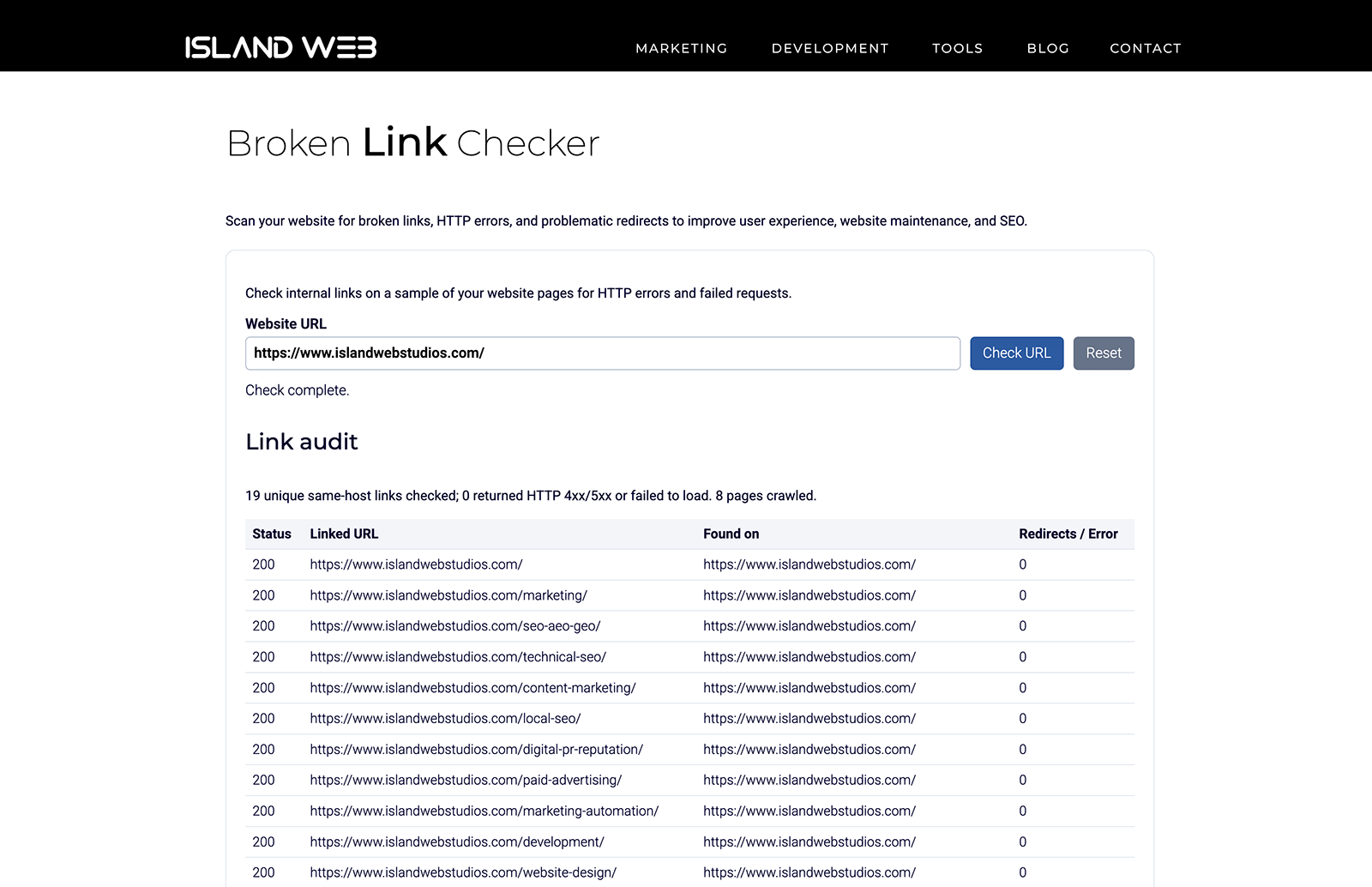
Identify broken website links, unavailable destinations, and HTTP errors with the free Island Web Studios Broken Link Checker.